Tag: writing

Fountain Pens and Inks

Aside from reading, video games and books I have an interest in fountain pens and inks. It is something I have always enjoyed and I still have and use my first fountain pen I bought way back in 2008, a lime green Lamy Safari.

It is only recently, the last year or so, that I have fallen down the rabbit hole of inks. Its not the colours that appeal to me but the properties too. Like a shimmer or sheening ink and the inks that alter, fore example Sailor Dategokoro goes on with a blue hue but dries a nice plummy colour.

This past week I decided to have a tidy up and organise my collection of inks and pens to make them more accessible and visual to me. Usually I kept them in a pencil case but I decided to store them in a pen case to preserve and look after them better. It is nice to appreciate them and their differences.

My pens range from the Lamy and cheaper Chinese models and brand like Jinhao and Asvine to more expensive Esterbrook and Platinum pens. Cost doesn’t necessarily mean better in my experience. I have 15 total pens and need a bigger case, as I have only room for 12, the rest live in my pencil case. My favourite brand seems to be Kaweko and I like their Sport model of pen. I also have two dip pens which I use for ink swatching and for a change of pace. A J Herbin glass dip pen and a Sailor Dipton with a fude nib.

For inks I have few from Diamine and J. Herbin. I quite like the 1670 collection from J. Herbin. I do like the Pilot Iroshizuka inks and thought I have two currently (Kon Peki & Yama Buda) I know I will try to acquire the set – they are pricey but God tier in my opinion. I do like the gold flecks in ink though they are a bit annoying with gunking up the nib, thankfully most if not all my pens can be thoroughly cleaned out

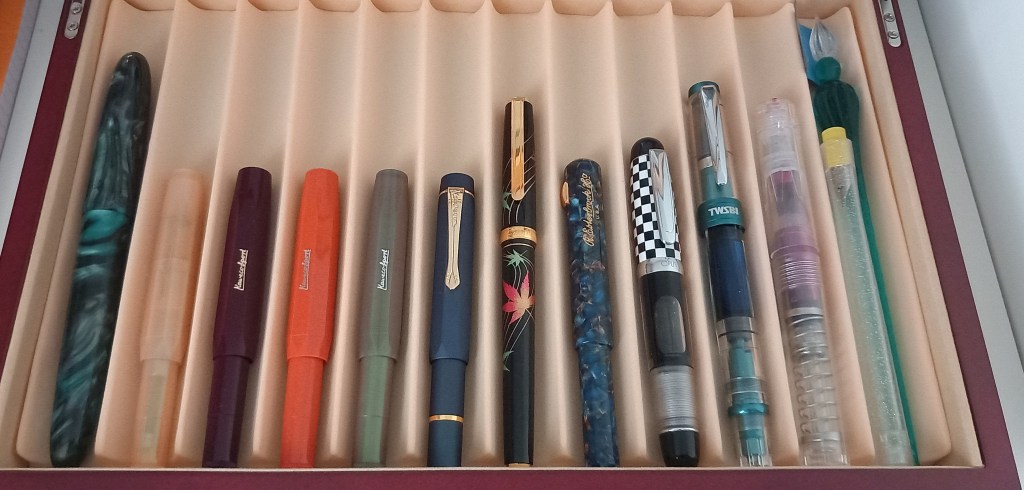
Here are my pens (from left to right).

  • Asvine C80 (Green Ripple) 1.1 Stub nib
  • Kaweko Collection (Apricot) Medium nib
  • Kaweko Sport (Bordeaux) Broad nib
  • Kaweko Sport (Fox) Medium nib
  • Kaweko Lunar Sport (Shadow Green) Medium nib
  • Kaweko Sport Piston Filer (Blue) Medium nib
  • Platinum Kanazawa-Haku (Changing Autumn Leaves) Medium nib
  • Esterbrook Niblet (Nouveau Bleu) Fine Flex nib
  • Opus 88 (Check) Broad nib
  • TWSBI 580AL (Prussian Blue) Fine nib
  • TWSBI Go (Clear) Fine nib
  • Sailor Dipton Fude nib / J. Herbin 21437T dip pen

Not pictured are Jinhao 10 (Gradient Dark Blue) Medium Nib, Lamy Safari (Lime Green) Medium nib, Travellers Company (Factory Green) Fine nib and a vintage Golden Star pen made in a cloisonné style with what I assume to be a Fine nib (hard to find info on this pen).

As you can see from the above I do prefer a Medium nib in my pens, especially the Kaweko. Liking inks with shimmer properties you need a nice chunky nib to show off the best of the ink.

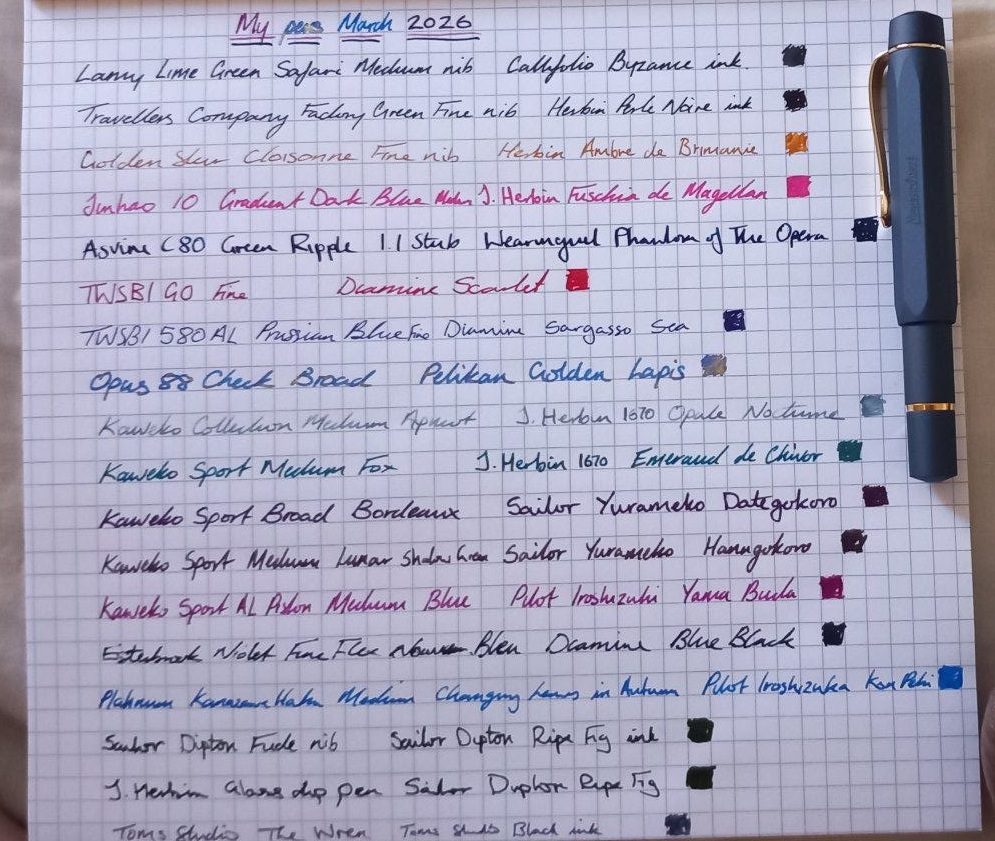
All the pens are inked up with different inks and I do switch between them all. My daily carry pen would be the Kaweko Piston and a Tom’s Studio ‘The Wren’ pen. It dawns on me as I write now that aside from a cartridge in the Travellers Company pen (Herbin Perle Noire) that I do not own a bottle of black ink. I do like Blue Black ink though, and blue inks in general. Below shows what is in each pen.

I quite like all the inks, I may change out the inks in three of the pens (Asvine, Kaweko Apricot & Opus 88) soon though.

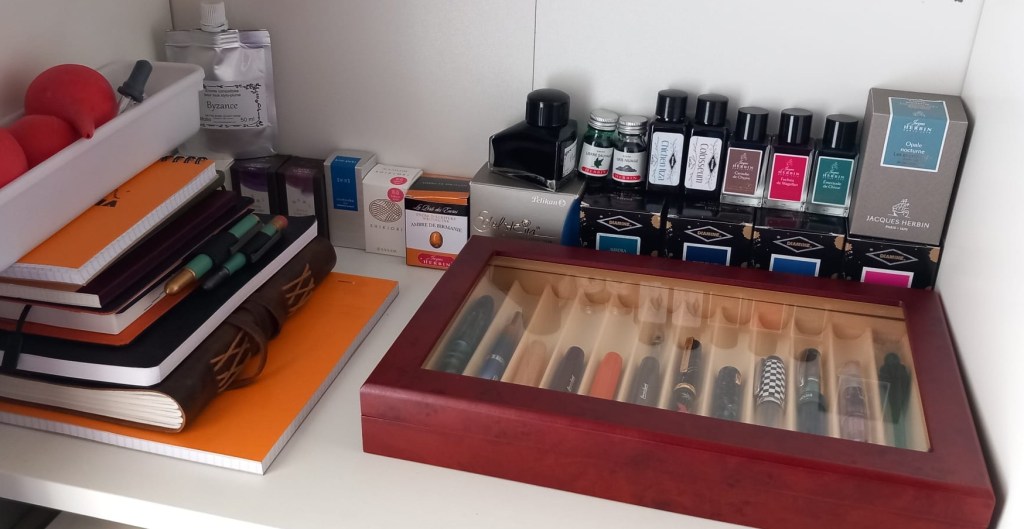
This is how my shelf looks and I have cleaning utensils in the white pot including syringes, water bulbs and pipettes. All for use in cleaning and inking (along with a TWSBI Pipe).

I think eventually I will do blogs on each pen, and maybe the inks too.

How I am Going To Add Variety To My Reading This Year

I feel this year is going to be a slow reading year this year and being a compulsive book buyer I am always acquiring more than I read so I was doing some thinking about how to explore my library and get the most from it. I am a dual media reader having both digital (Kindle and audiobook) and phyiscal copies of books. The audiobook library is fairly easy to nagivate, as is the physical, but the digital library is a big pain to navigate through 6000 + (shocked me too!) books. You never remember every book you buy and most get lost in the shuffle.

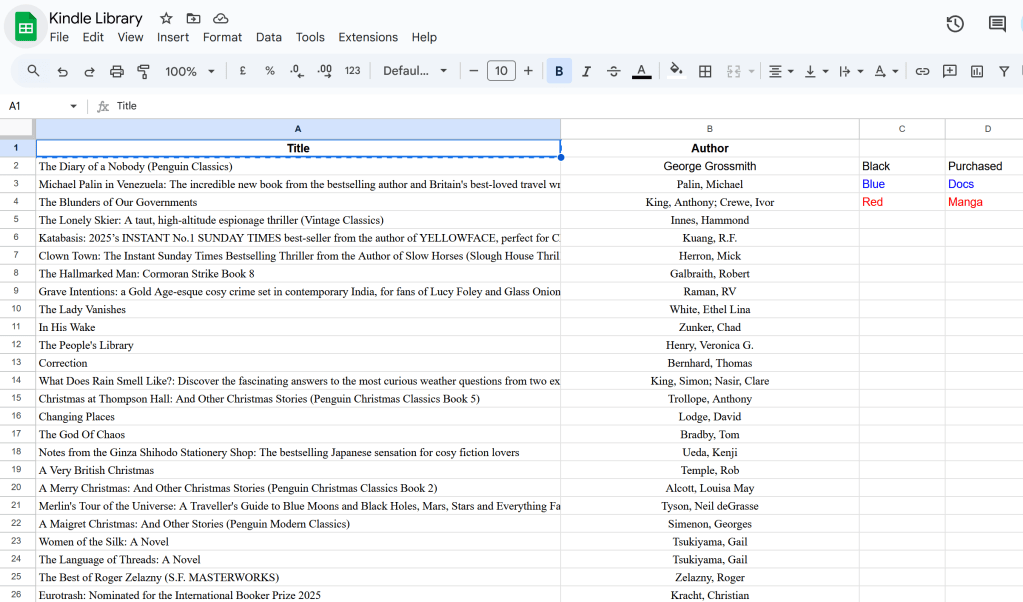
I had a brainwave! I will make a spreadsheet of my library and from that use a random number generator to help choose my next read. To my surprise there is no quick and easy way to export your Kindle library. So for a few hours I had to scroll the entire library until it loaded every book and then select all, copy & paste. Unintuitively it pastes as a single column and for example the titles were odd cells and the authors even. So after a chat with AI (one of the few times I have used AI with success). I discovered how to create smart filters and be able to select the data and copy and paste them to be how i wanted it. To my surprise it worked.

I am happy with it and I have decided to colour co-ordinate my library with default black being purchased books, blue being docs (mostly books purchased elsewhere online) and red being manga.

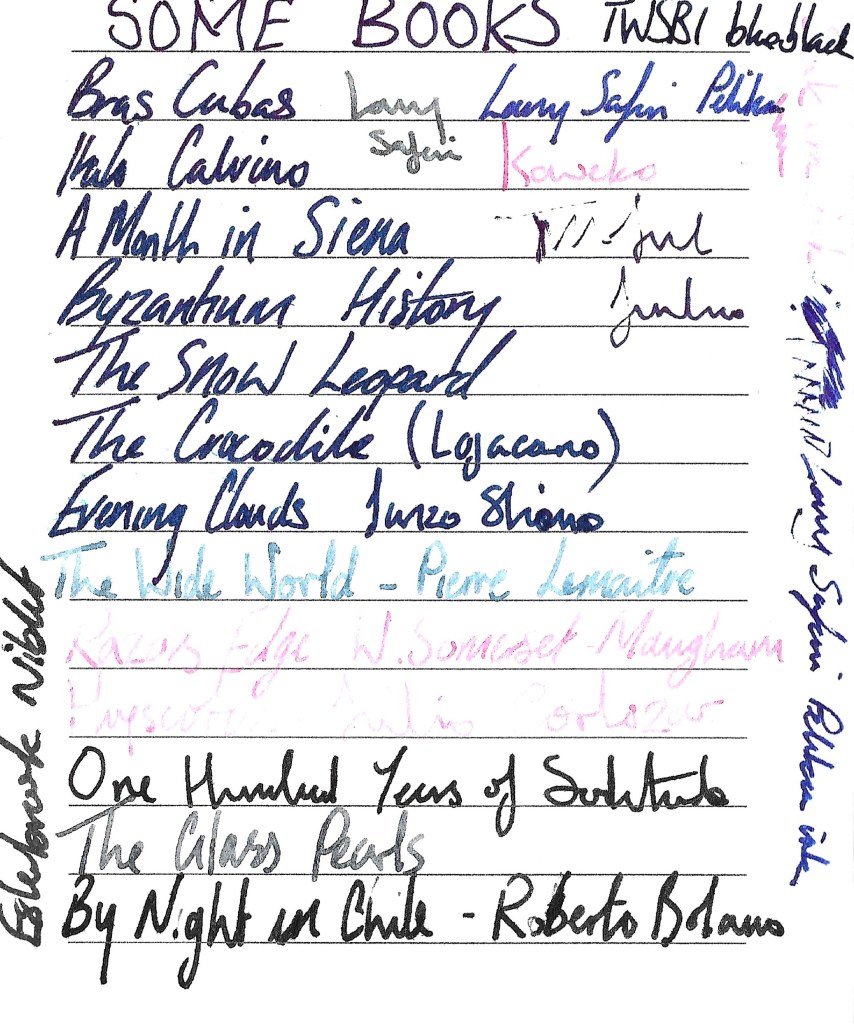
I have tried it a few times and as you can see from my notes it has thrown up an interesting mix of books. Many I have forgotten about and not looked at since I purchased them. It will be fun to see what books it throws up when I decide to use it.

I will try to keep my library updated going forwards, it will only be laziness that prevents me.

Kindle Colorsoft – 9 Months Later

Its almost a year with the Amazon Kindle Colorsoft Signature Edition and I thought I would do a quick review of how I have found it so far. I say almost a year as it has been 9/10 months since I received my Colorsoft just after Christmas. Prior to the Colorsoft I was using the original Paperwhite Signature Edition.

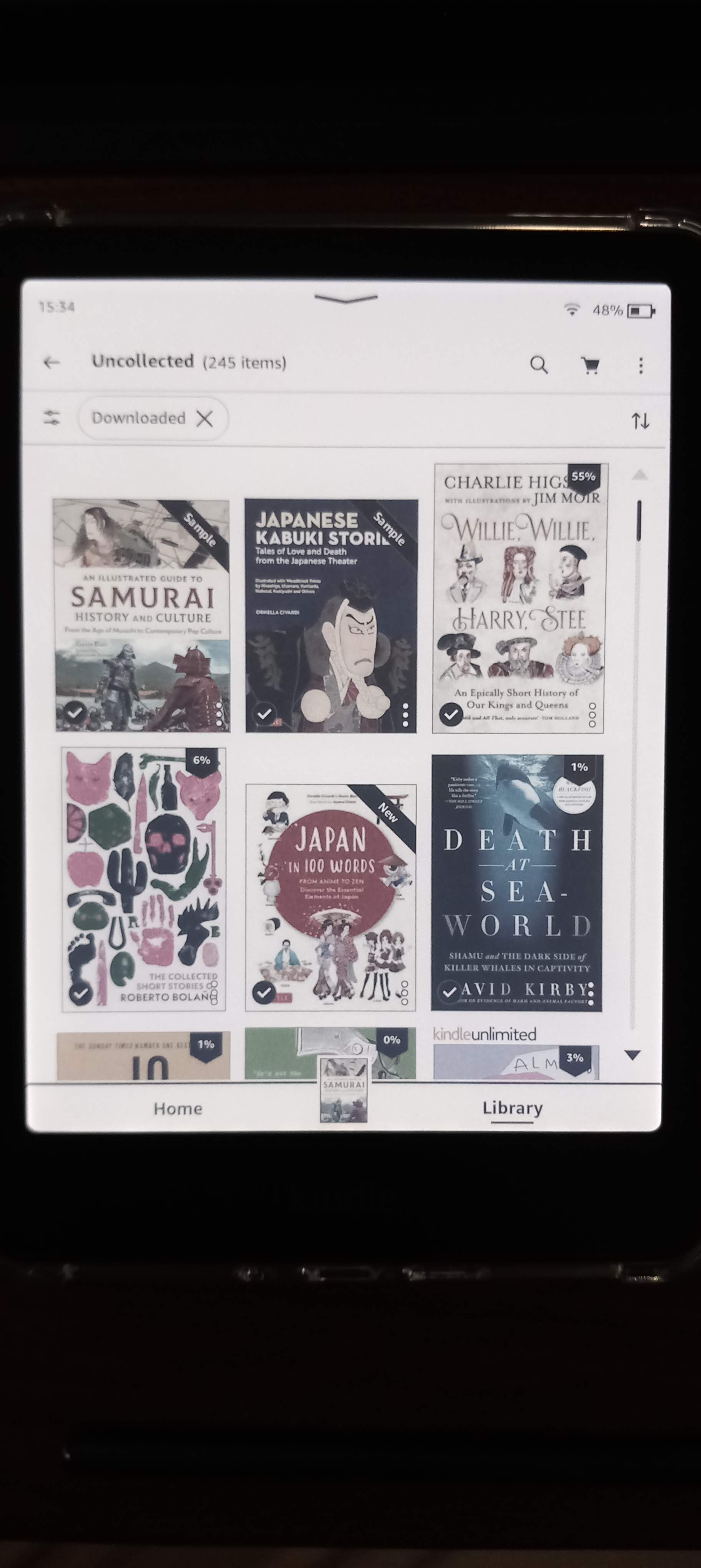
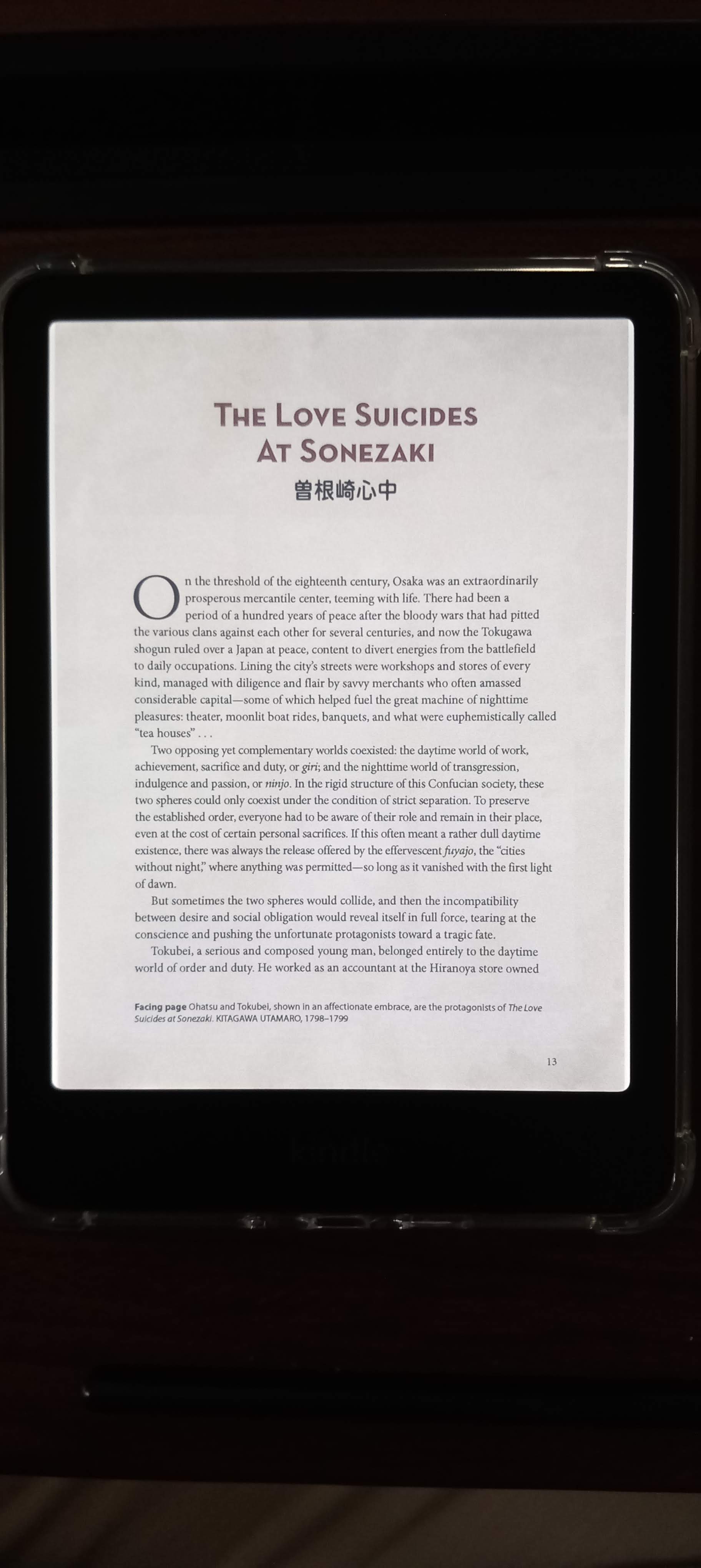
Compared to last year my reading output has increased, I wouldn’t say it was helped by the Colorsoft but I have read only using the Colorsoft. I do notice compared to the Paperwhite the Colorsoft lacks clairty in some aspects but it is not detremiental to the reading experience, I am not a picky person but I know some are. The difference is the screen and how the nature of Coloured e-ink screens means there is an extra layer to the screen that affects the crispness.

I was very lucky that my Colorsoft was one of the first of the non-yellow band batch, I do notice something but I have concluded its the LEDs at the base. There is no sign of yellow and being a frequent visitor of Kindle forums it is a paranoia you can’t shake off.

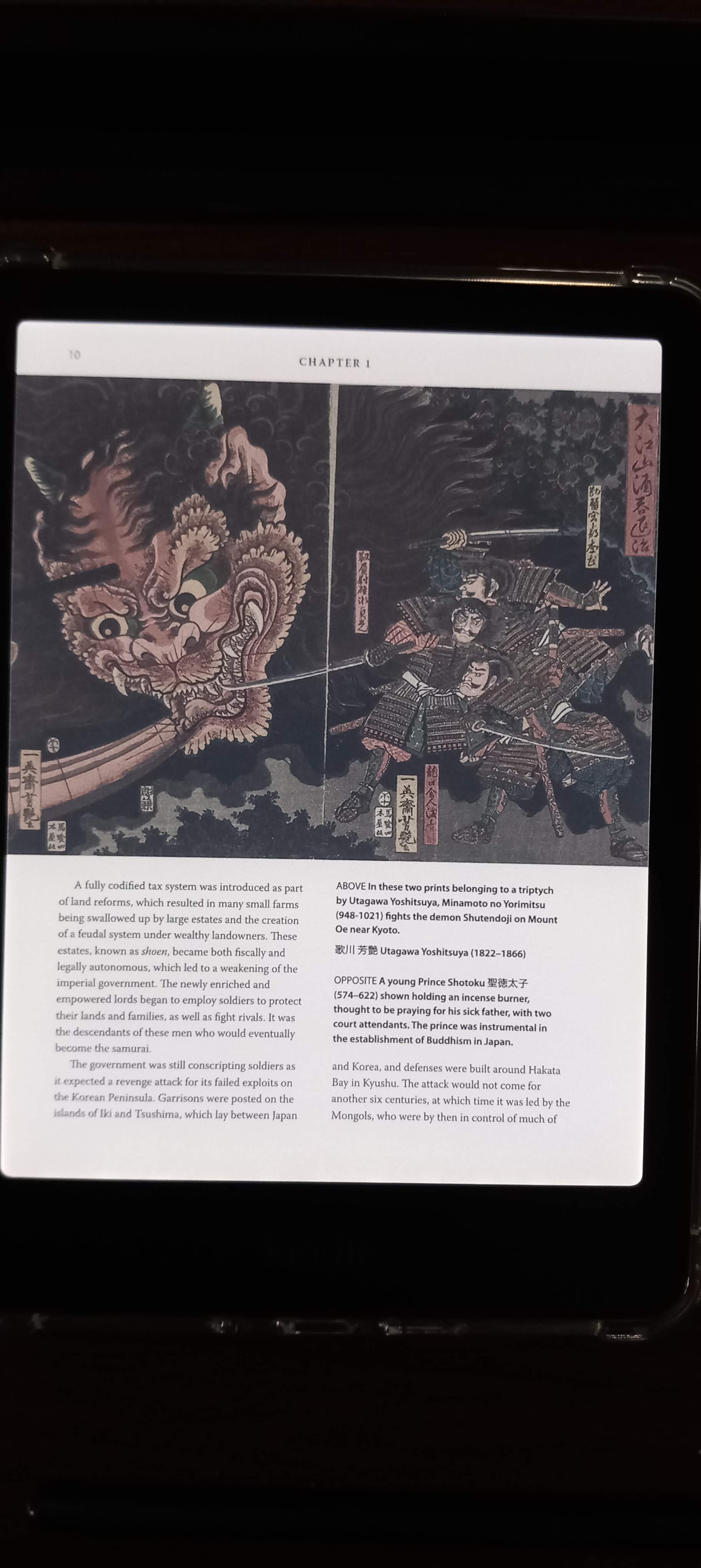
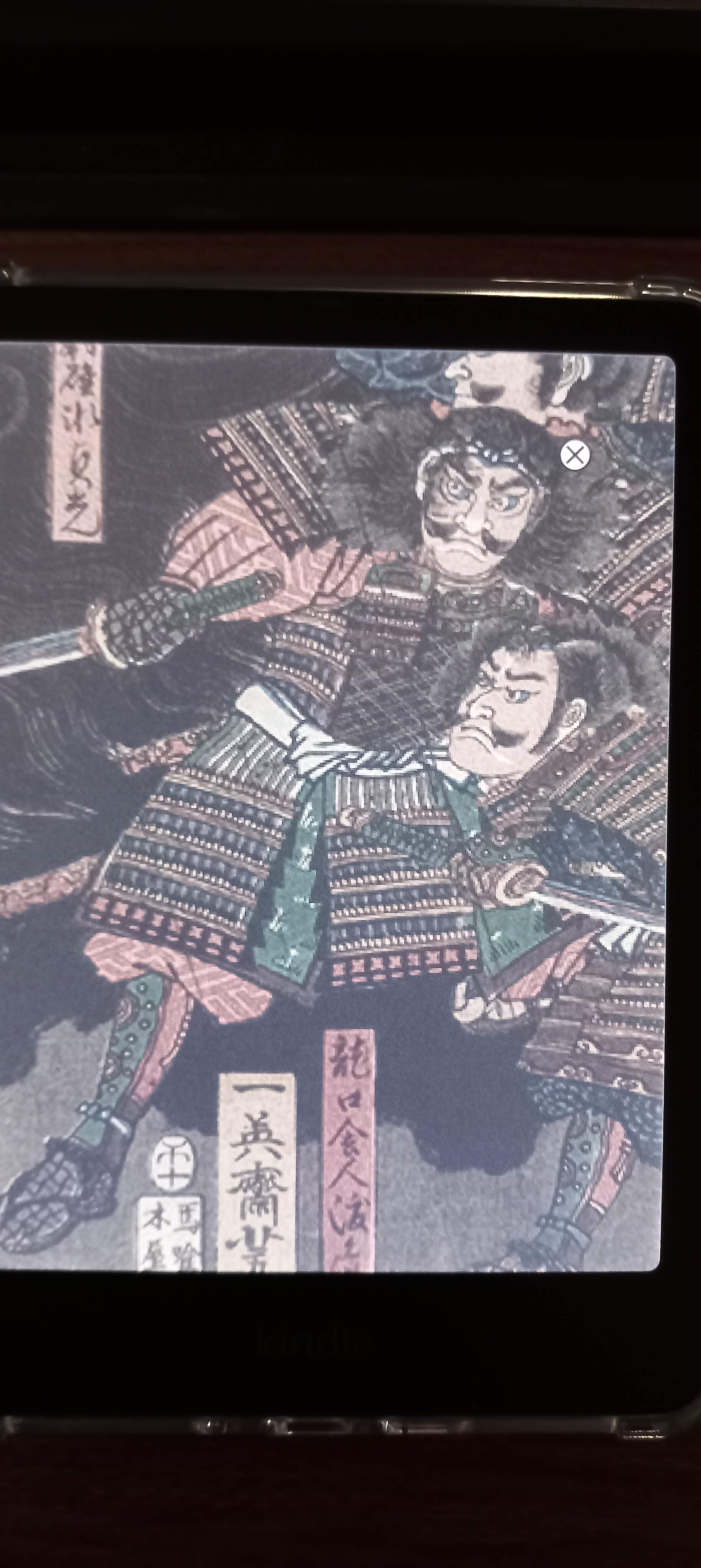
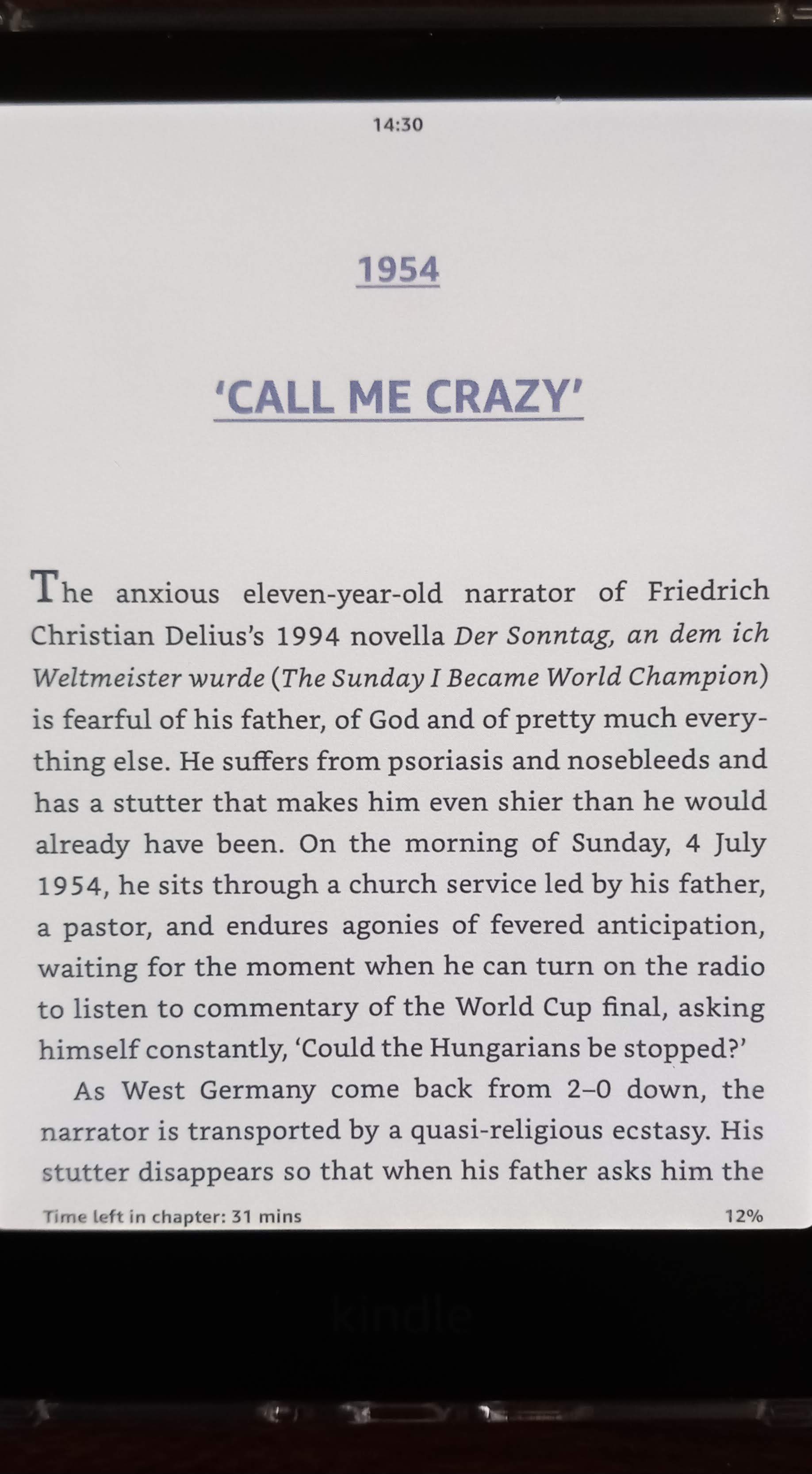
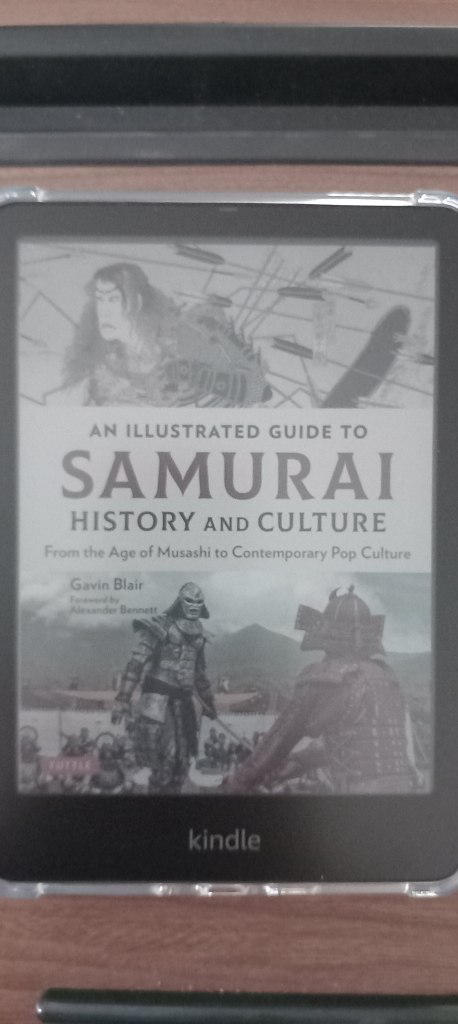
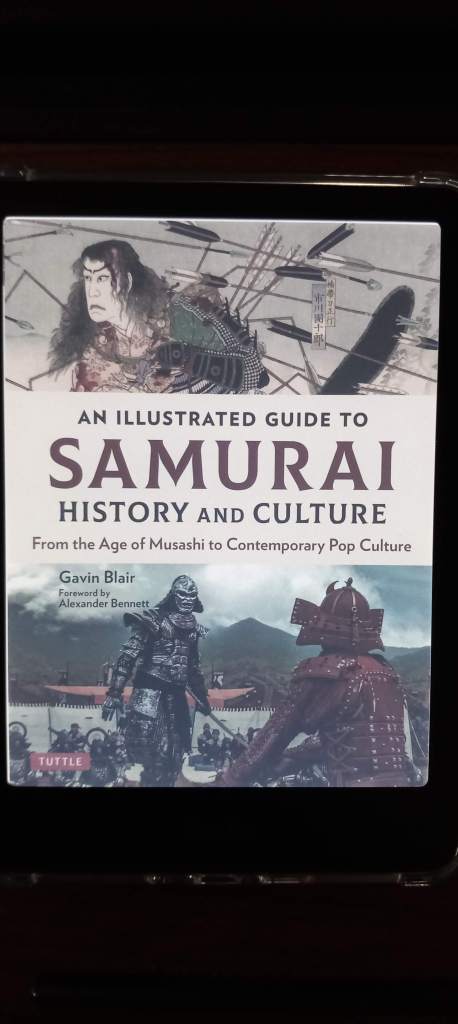
The images above show the device as I see it, I did include a screenshot from another book. The Kabuki book had stylised pages which didn’t make it seem fair for comparison. I also included an in-kindle screenshot.

Does Colour or lack of change the Kindle experience? Im my opinion it hasn’t made it any better or worse. It is wonderful to see covers and images in colour, along with notations but 99% of the time you are reading and text is in black and white. Depending on what you’re reading some of the pictures may be published without colour so there is no difference at all. I was excited to read a Manga on the Colorsfot but then realised only the cover was coloured and the content black and white. It really shone through with comics and I had read a series called Gun Honey and that really popped.

I do think colour is the future and for the first iteration of coloured e-ink Kindles, this is a fine entry and better it will get. Already there are a 16GB model Colorsoft and a Kids version and recently announced Colorsoft Scribe. I am happy with mine and it will do me for many years, perhaps if there is a big jump in quality and features down the line I would get another.

Perhaps they will add features like change of font colour, or page background colours. It will be interesting to see where it goes from here. A slight disappointment for me is the lock screen, I know for longevity and battery it is limited in brightness, but it would be nice if it was backlit a little to be more vibrant at the expensise of battery.

All in all colour or no colour it makes little difference but it is nice to have the choice to enjoy the option of colour. Is it a necessity no, but it is a pleasure and great to have the choice. Though the question with Amazon getting more restrictive is to try a new e-reader or stick. Kobo, Boox, Pocketbook all provide alternatives to Kindle. I would be interested to see the next colour offerings from Kobo and see how they update the Libre Color, that would be what I would go for next, if they make improvements to the device and build quality.

Kindle and Digital Purchases: A Problem With a Solution

There seems a lot of furore this week over Amazon and its decision to remove a feature called “Download and Transfer” which enabled people to download Kindle books and transfer them to their devices via USB and save a copy remotely. A feature that served other purposes too making is useful for people to back up copies of ‘their’ books but also piracy too. The books are downloaded with DRM protections which can be removed through various ways. The removal of this feature has caused concern about rights and digital ownership, something people often overlooked. Since the days of iTunes and iPods you don’t own a digital purchase, you merely have a license to access it whether its a download or stream. In today’s world where digital purchases are more common people are now realising that you don’t actually own what you buy whether its a track, book, movie or video game. Almost all digital purchases are licenses to access rather than ownership. For example to play Gran Turismo 7 on the PS5 you need to be online depsite downloading the game it won’t play unless it verifies your account and is always online.

Unless you download a copy and remove the DRM protections, it has been this way all along but people didn’t realise or read the small print and assumed your purchase is yours to keep. It exists as long as the provider provides it. Like Flixster which used to offer digital movies and closed down but that did allow downloading of all movies prior to closure and moving purchases to a different site.

As a Kindle owner going forward I am affected by this, I have over 5000 books I have purchased over the years and all along since I first got an iPod I have religiously backed up iTunes purchases and e-book purchases. My first e-reader device was a Sony PRS-650 e-reader which had its own proprietary store and allowed side loading of books providing there are no DRM on the files. The files were .epub files that had Adobe DRM. No biggy, there are ways around it. I never had a problem buying and backing up. I then switched to Kindle and maintained the same thing to backing up my library. Whatever the book and format and DRM there have been ways around it until now. Now I am seriously considering my future purchases and whether I will be purchasing from Amazon going forward or not. The problem is I am well entrenched in the Amazon/Kindle ecosystem both in terms of convenience and cost. I know it is only a matter of time until people work out how to remove the DRM from the current e-book format, or maybe a matter of time until side loading on a Kindle is removed.

As such I have experimented buying one or two books from Google Play Books. The prices are reasonable but it doesn’t have the selection of Amazon and Kindle but there are some books there that were unavailable on Kindle. For example The Passenger: South Korea was a book that was available for pre-order but removed on Kindle but I found it on the Google Store. I purchased it to try and see how easy it is to back up and convert it for use on Kindle and how well the conversion goes and appears on a Kindle Colorsoft device. It feels full circle as I am back to Adobe DRM removal and it gives you an .epub file which you can then upload to your Kindle library via Amazon’s SendToKindle service.

As you can see it has worked really well, three of the books were sent via the method above (except The Peepshow) and they work perfectly. The photos on The Passenger: South Korea have lost no clarity and everything works as it should.

For me until the KFX-ZIP format of Kindle is cracked this is how I am going to be purchasing my books going forward, especially those that are new releases and full prices. It isn’t perfect but it works. It seems too the Amazon Kindle Monthly deals carry over for the most part onto the Google Play Books Store but the Kindle Daily Deals do not. I may stick to Kindle if it benefits me in terms of a Daily Deal or Whispersync.